
Configuring Company Profile, Tax Identification & Entity Details
Set up your PT or PT PMA company, enter your 16-digit corporate NPWP, and configure financial year settings.
What You Will Accomplish
Bind your CFO AI workspace to your official Indonesian corporate identity. This ensures all bank imports, invoices, and accountant exports reflect your verified legal business details.
- Active CFO AI account with Owner or Admin role
- Official legal entity name registered in AHU/Kemenkumham deed
- 16-digit corporate NPWP (or 15-digit legacy format)
- Registered Indonesian business address
Step-by-Step Instructions
Navigate to Company Profile
Log in to app.cfo-ai.site. In the left navigation sidebar, click Settings, then select the Company Profile tab.
Enter Legal Entity Name & Business Type
Enter the exact legal company name (e.g. PT Inovasi Keuangan Nusantara). Under Entity Type, select PT Biasa (Domestic), PT PMA (Foreign Investment), or CV.
Configure 16-Digit Corporate NPWP
Enter your corporate Tax Identification Number. CFO AI validates both the 16-digit format under PMK 81/2024 and legacy 15-digit numbers.
Confirm Base Currency & Save Changes
Confirm your base operational currency is set to Indonesian Rupiah (IDR), then click Save Profile Changes.
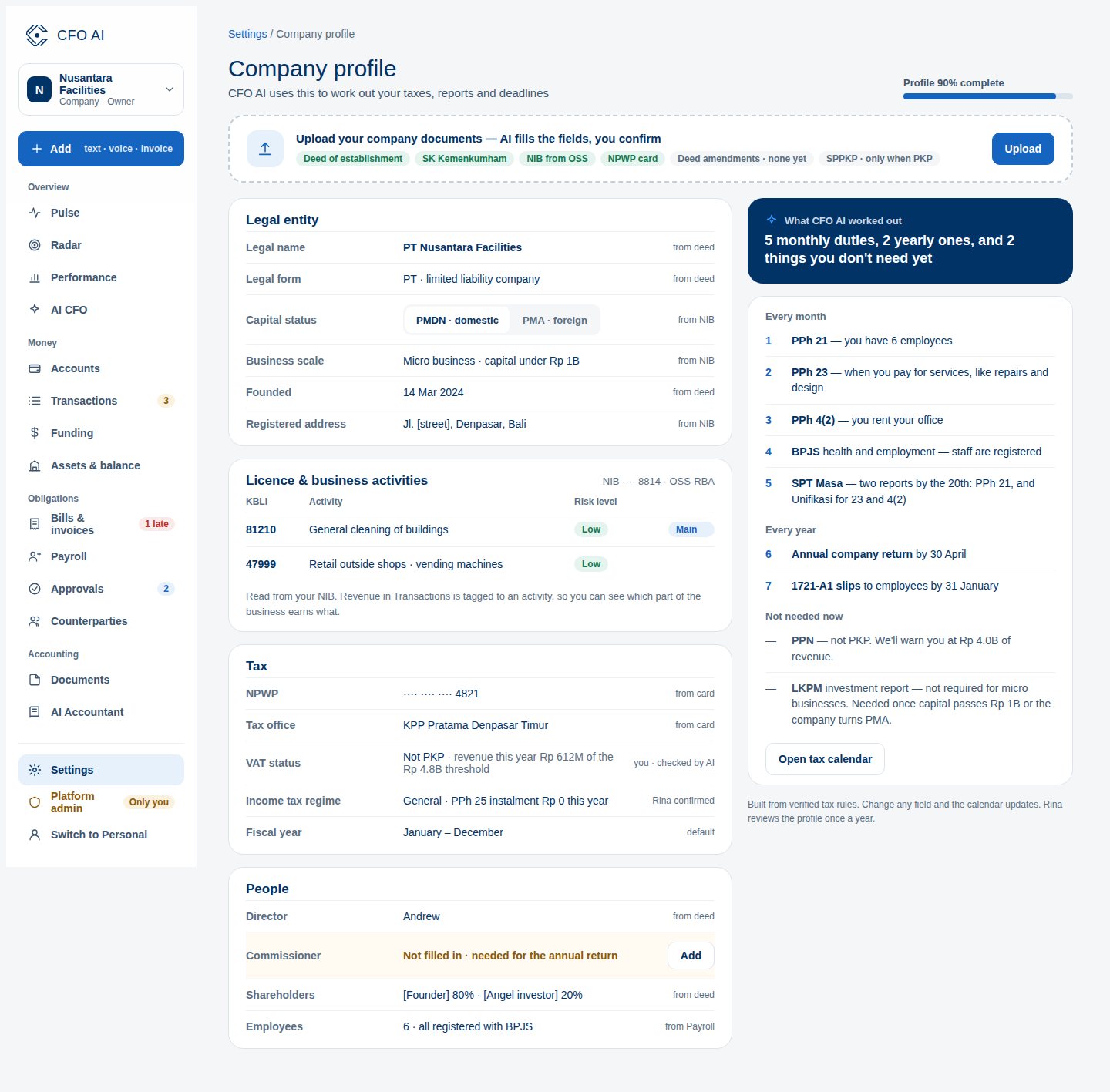
Expected Result
Common Errors & Troubleshooting
Ensure your entry contains either exactly 15 or 16 numeric digits. Remove any spaces, dashes, or accidental characters copied from scanned PDFs.
Only workspace Owners and Admins can modify legal profile details. If you have an Accountant or Viewer role, contact your workspace Owner.