
Adding Operational Bank Accounts and Cash Wallets
Configure bank accounts (BCA, Mandiri, BRI, BNI, Permata, Wise) and physical petty cash wallets in your ledger.
What You Will Accomplish
Establish all liquidity sources across Indonesian checking accounts and petty cash to maintain total cash runway visibility.
- Admin or Owner role
- Account numbers and opening balances of commercial bank accounts
Step-by-Step Instructions
Open Accounts Screen
In the main navigation menu, click Accounts.
Click Add Account
Select 'Add New Account' at the top of the balance overview card.
Choose Bank or Cash Type
Select your financial institution (BCA, Mandiri, BRI, BNI, Permata, Danamon, CIMB, Wise, or Physical Cash Wallet).
Enter Account Number & Opening Balance
Input the last digits of the account number, currency (IDR/USD), and verified opening ledger balance.
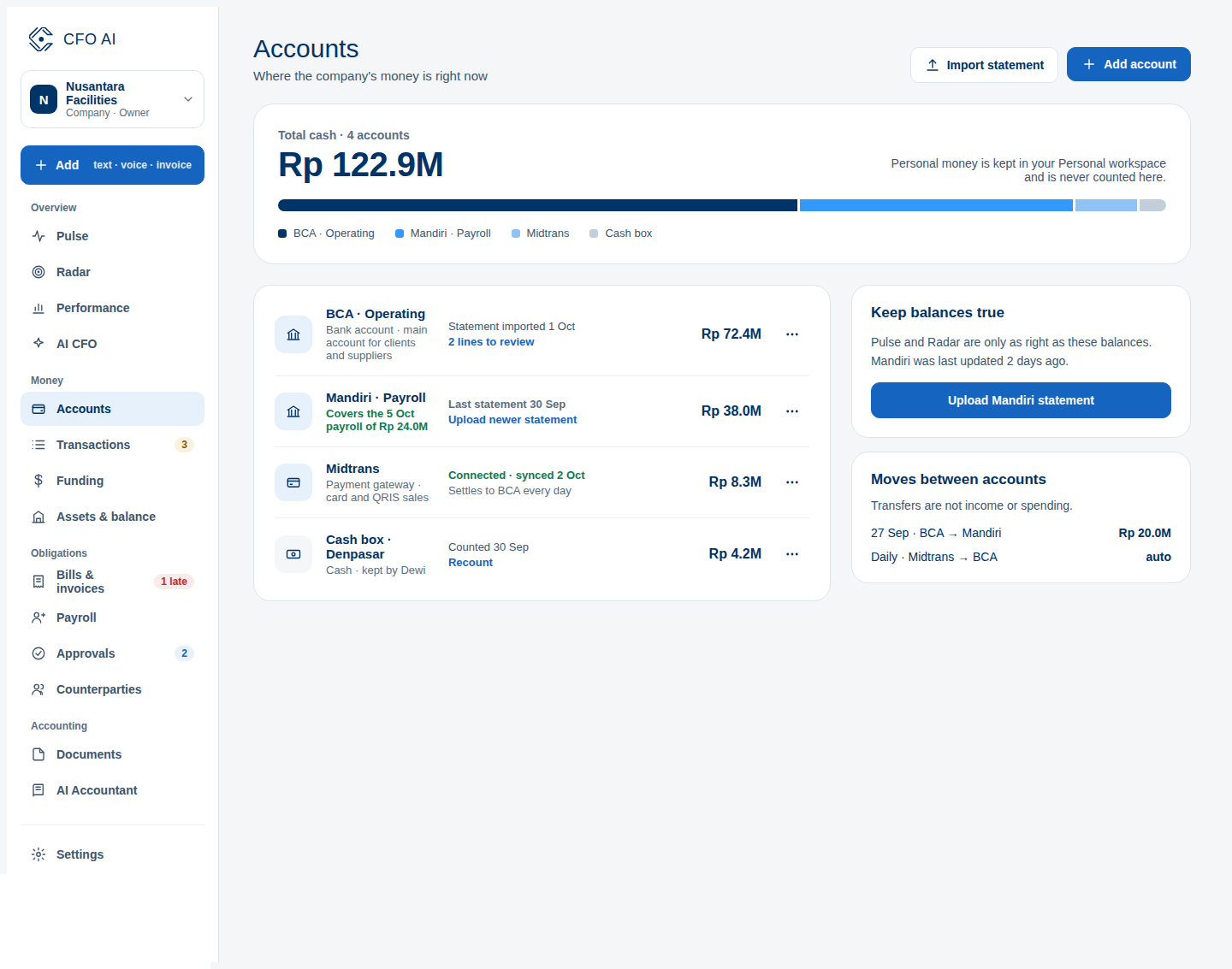
Expected Result
Common Errors & Troubleshooting
Verify whether uncredited cheques or late deposits were pending on the date of your opening balance.