
Using AI CFO for Financial Queries and Runway Insights
How to ask plain-language questions about cash flow, burn rate, and vendor spending trends.
What You Will Accomplish
Get instant plain-language answers about your finances without building manual pivot tables or running formulas.
- Active CFO AI workspace with recorded transactions
- Viewer, Accountant, Admin, or Owner role
Step-by-Step Instructions
Open AI CFO Console
Click 'AI CFO' in the navigation bar.
Enter Natural-Language Prompt
Type your query, e.g. 'What was our total software spend in Q1?' or 'What is our current cash runway in days?'
Inspect Cited Calculations
Review the AI summary alongside clickable references to the specific ledger entries and accounts used in the answer.
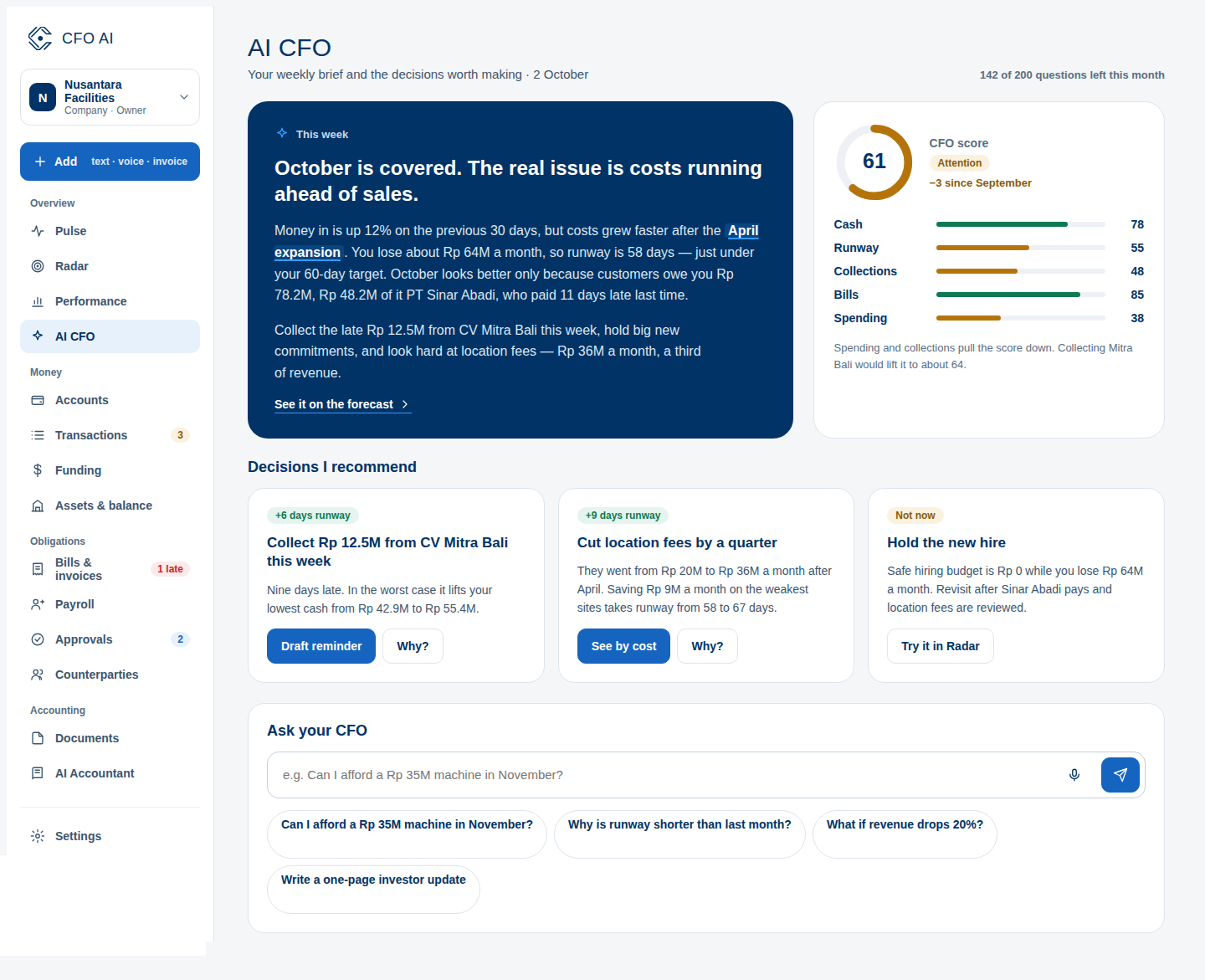
Expected Result
Common Errors & Troubleshooting
AI CFO is strictly bounded to analyze your internal transactions. For statutory tax filing opinions, consult your licensed Konsultan Pajak.