
Tax summaries and export packages are prepared for review and compliance preparation, not automated CoreTax filing.
Generating Accountant Readiness Packages for Month-End
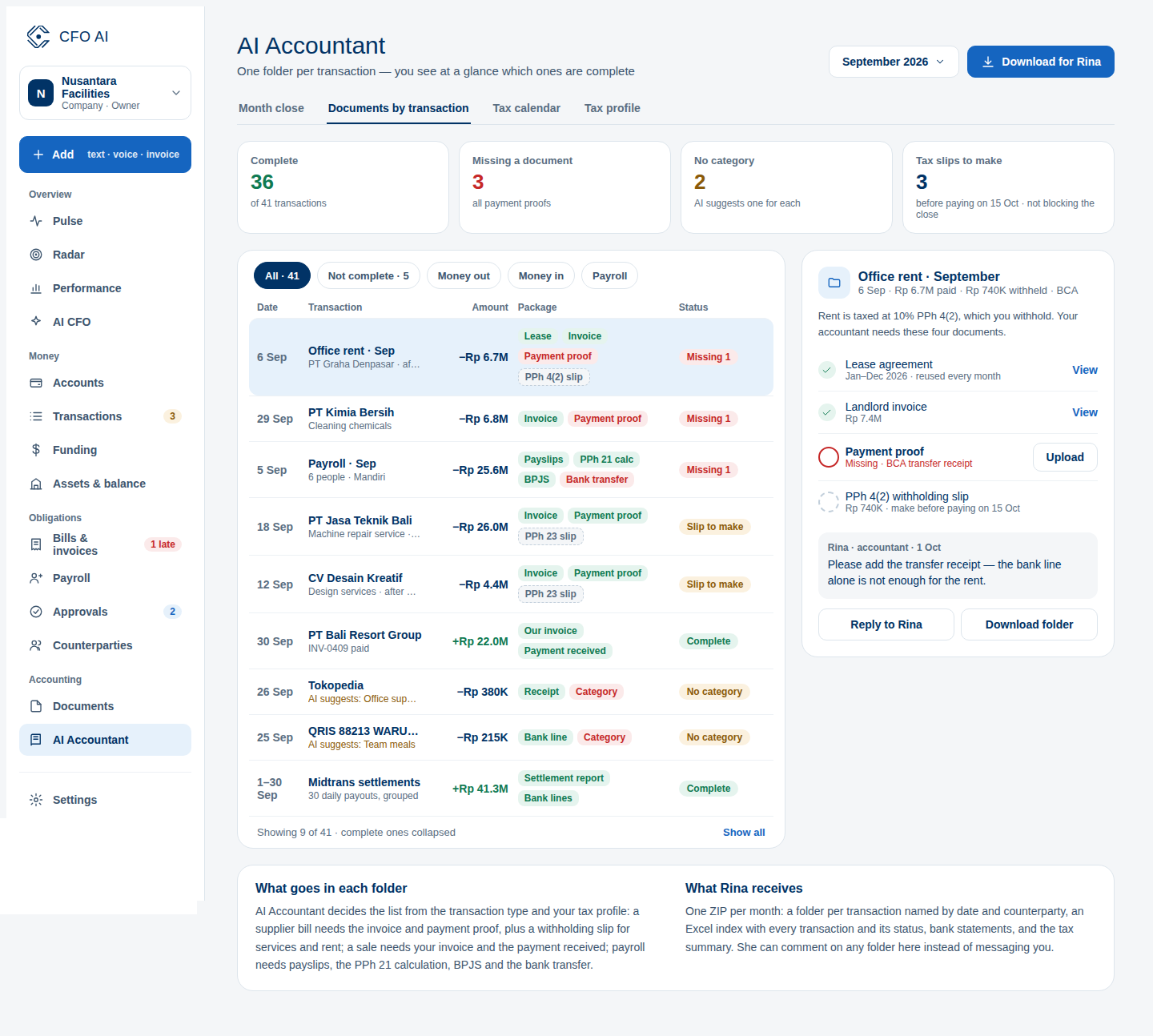
Export pre-organized, balanced transaction summaries and attached voucher archives in one ZIP.
What You Will Accomplish
Package monthly financial records into an organized archive for external tax consultants and statutory bookkeepers.
- Accountant, Admin, or Owner permissions
- Completed bank reconciliation for the target month
Step-by-Step Instructions
Navigate to Accountant Hub
Click 'Accountant' in the sidebar menu.
Select Month-End Period
Choose the target closing calendar month and year.
Review Readiness Checklist
Verify that unreconciled bank items and unverified invoice drafts are zero or explicitly resolved.
Generate ZIP Archive
Click 'Generate Accountant Package'. Download the complete ZIP containing structured Excel ledgers and voucher folders.
Expected Result
Common Errors & Troubleshooting
You can still generate a preliminary package, but items marked unreconciled will be highlighted in yellow in the summary sheet.