
Importing Bank Statements (CSV/Excel) and Matching Records
Upload bank statement exports from BCA KlikBisnis, Mandiri MCM, BRI, or Wise and reconcile transactions.
What You Will Accomplish
Eliminate manual bookkeeping by importing official bank feed files and executing intelligent 1-click transaction reconciliation.
- Exported CSV or Excel (.xlsx) file from your Indonesian internet banking portal
- Assigned bank account created in CFO AI Accounts
Step-by-Step Instructions
Navigate to Bank Import
Click 'Bank Reconciliation' in the sidebar, then select the 'Import Feed' tab.
Select Target Account
Choose which configured bank account corresponds to the file you are uploading.
Upload Statement File
Drag and drop the CSV/Excel statement file. The parser detects standard date, description, debit, and credit columns.
Review Matched Transactions
Review suggested matches with your existing invoices and manual receipts. Click 'Confirm Match' or 'Create New Ledger Entry'.
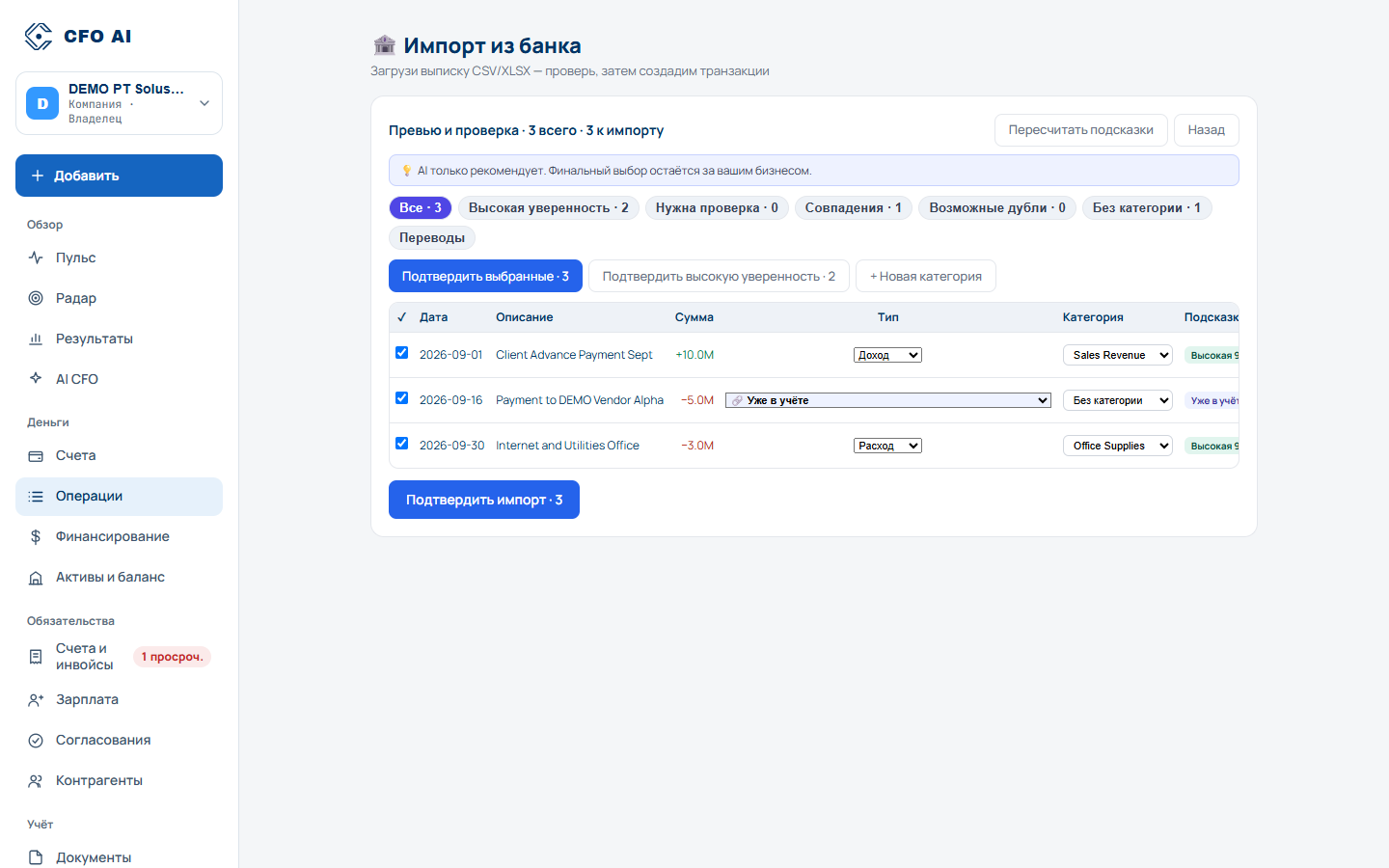
Expected Result
Common Errors & Troubleshooting
Indonesian banks frequently use DD/MM/YYYY. If your export uses custom formats, verify the column mapping preview before clicking Import.